Digital menu
A menu guests enjoy browsing!
Your venue's page, a menu with photos and videos in 12 languages, the theme you like in your own colors and font, a printable menu and a QR code for every table, all from one dashboard and always up to date.
Home page
The first thing guests see.

Menu display
Every item, at its best.
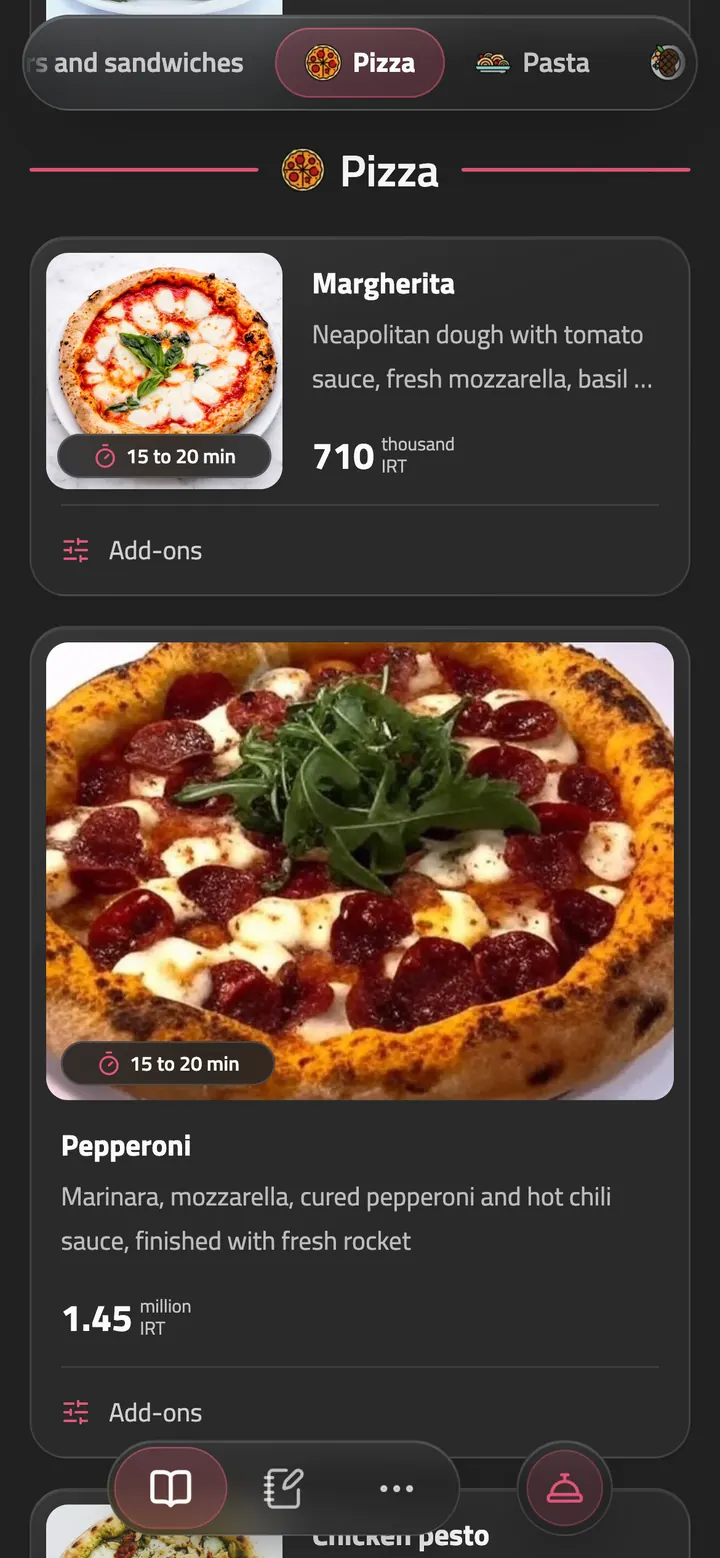
Large photos, clear prices and options that are easy to pick make your menu easy to browse. Guests find what they want, and the items you want noticed stand out. Each item can show roughly how long it takes, like "10 to 15 min", right on its photo.
Featured items
Put your specials and best sellers on large cards that catch the eye.
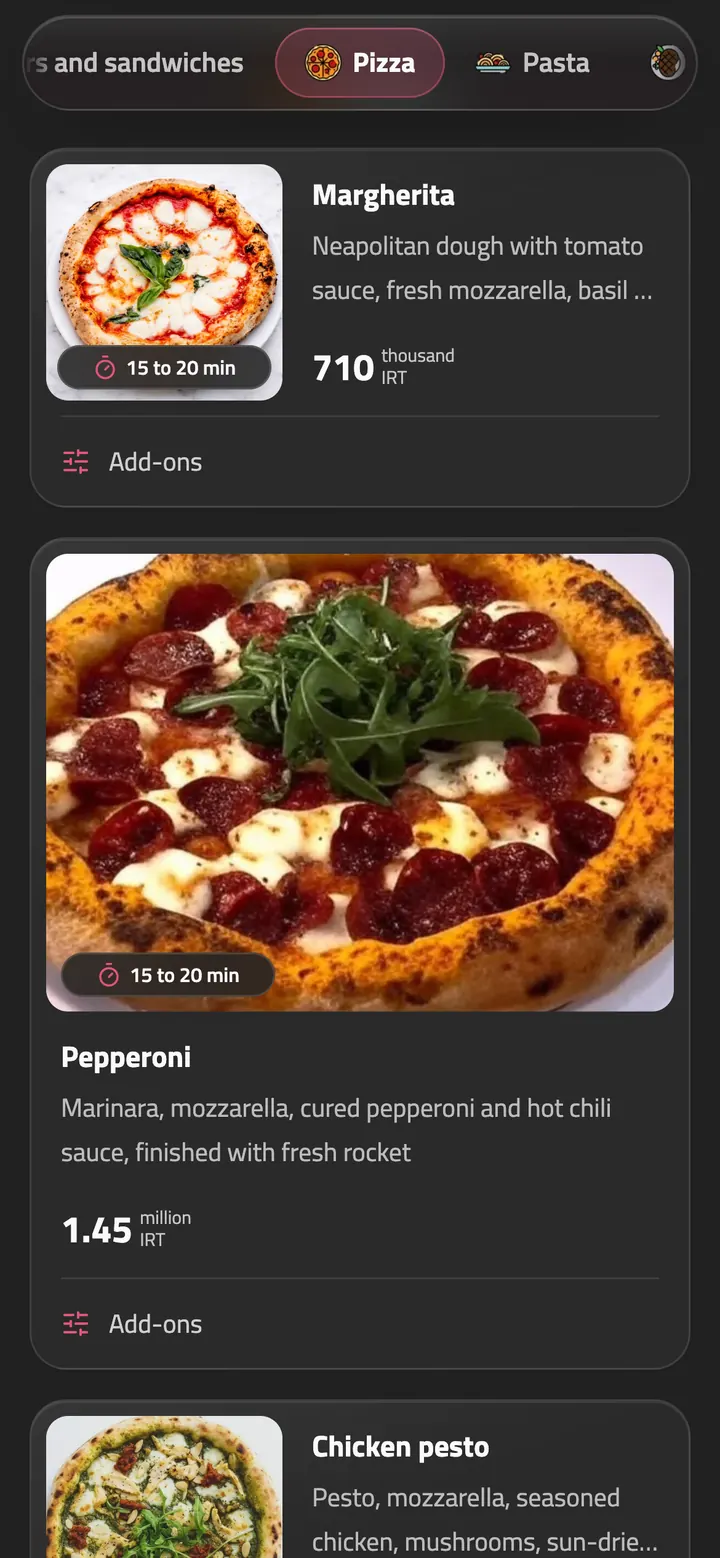
Item availability
When an item runs out, mark it as sold out with one tap. It stays on the menu, clearly marked as sold out.
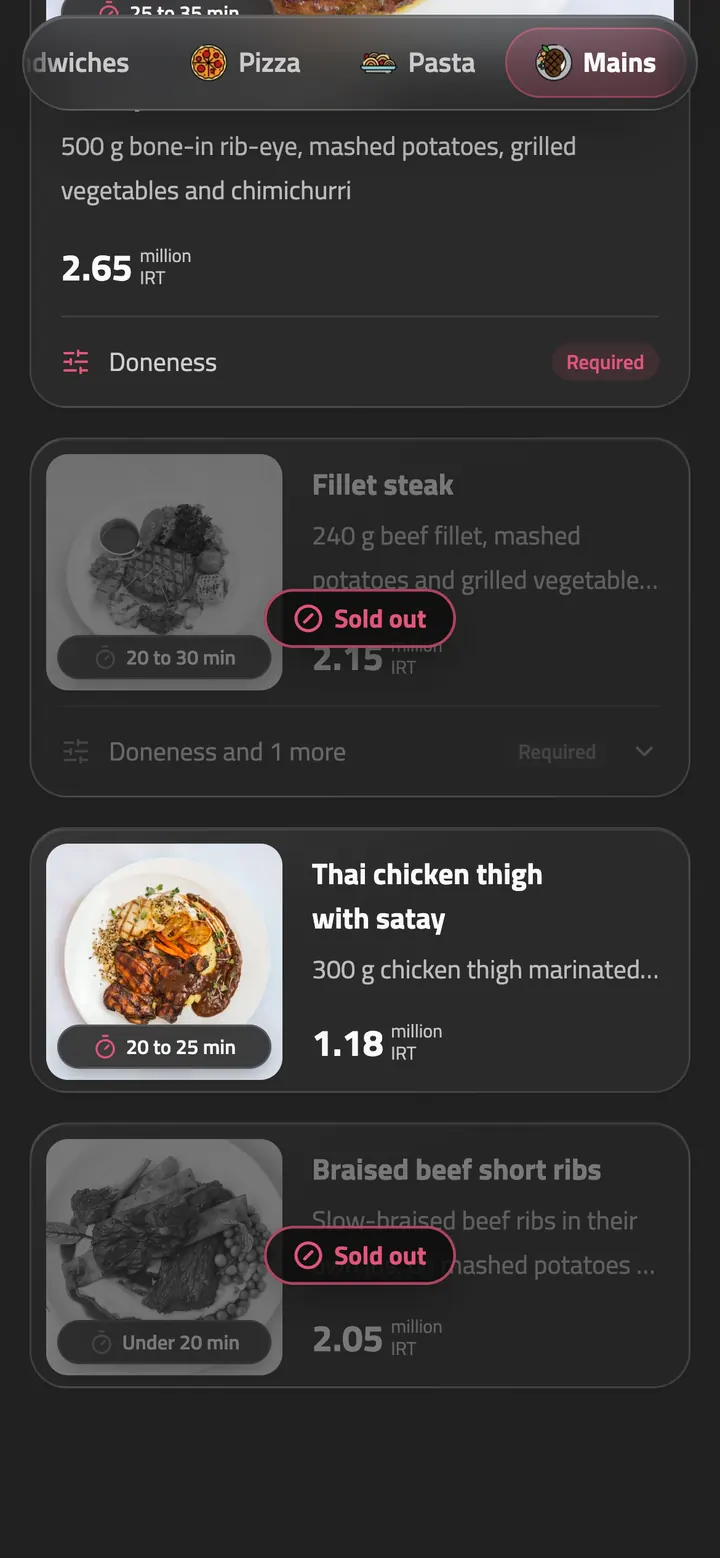
Display discounts
Set a percentage or fixed-amount discount, and the old price is crossed out for you.
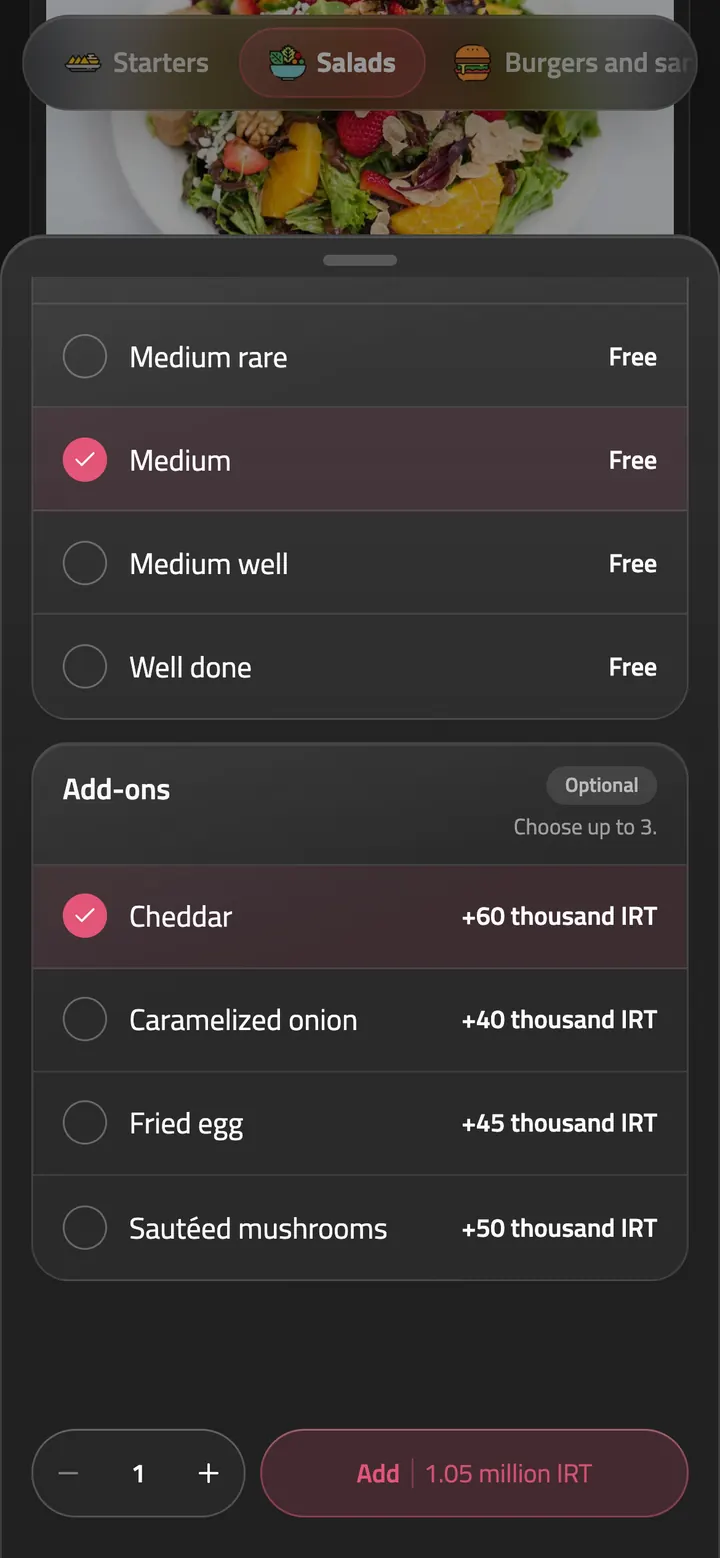
Options and extras
Define sizes, extras and required selections, with a price for each option.


 English
 فارسی
 Türkçe


 Français
 Русский
 العربية
 Español
 中文
 Deutsch
 日本語
 Italiano
 Português
Choose a language with one tap
When guests choose a language, the entire menu switches instantly.
Editable translations
Edit any part of the AI translation whenever you need to.
Menu themes
A menu that looks like no one else’s
Skip the plain template every other venue uses. Pick a theme with your venue’s own character, from a café till slip and a stadium board to frosted glass or a bold block print. With your colors and font, your menu is yours alone.
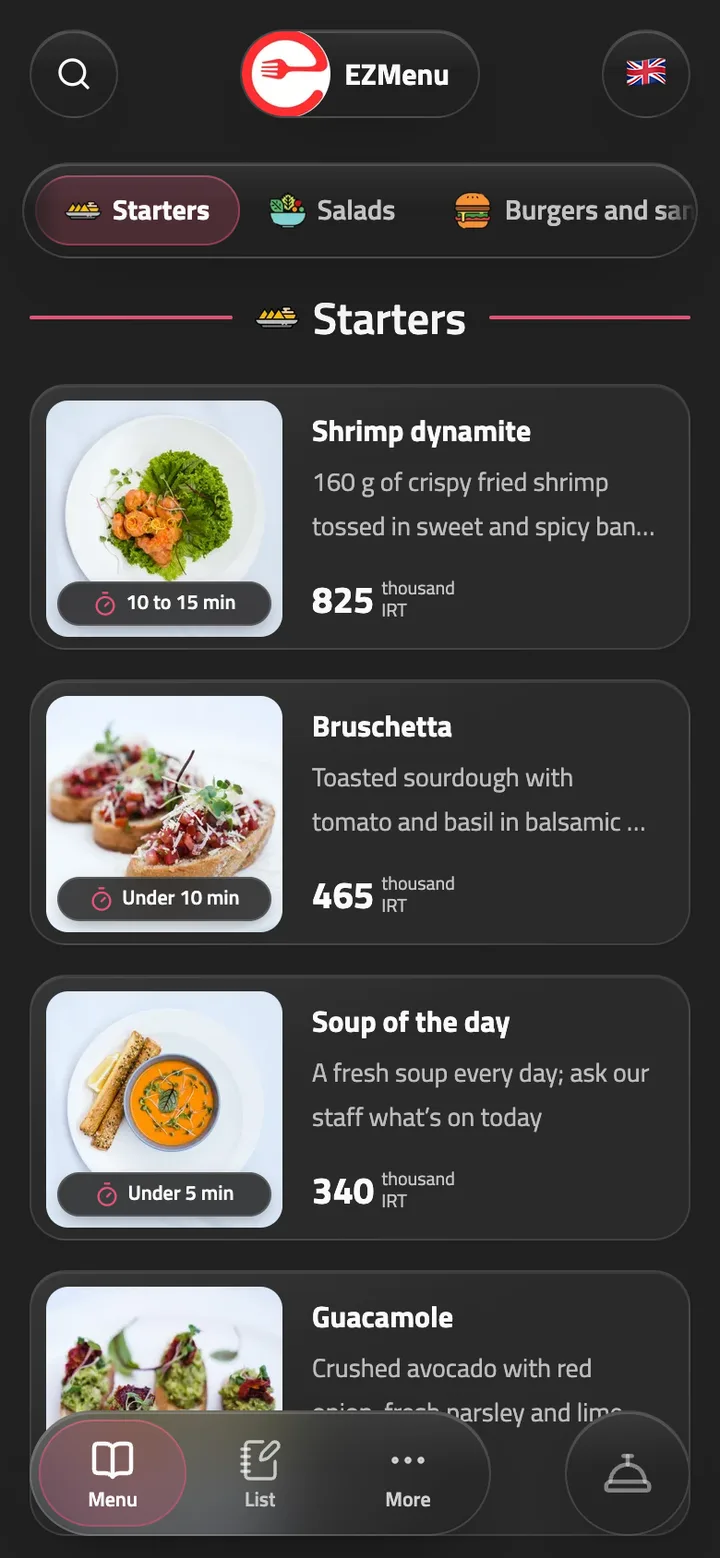
Glass
Frosted cards with a photo beside each item. Suits any venue.
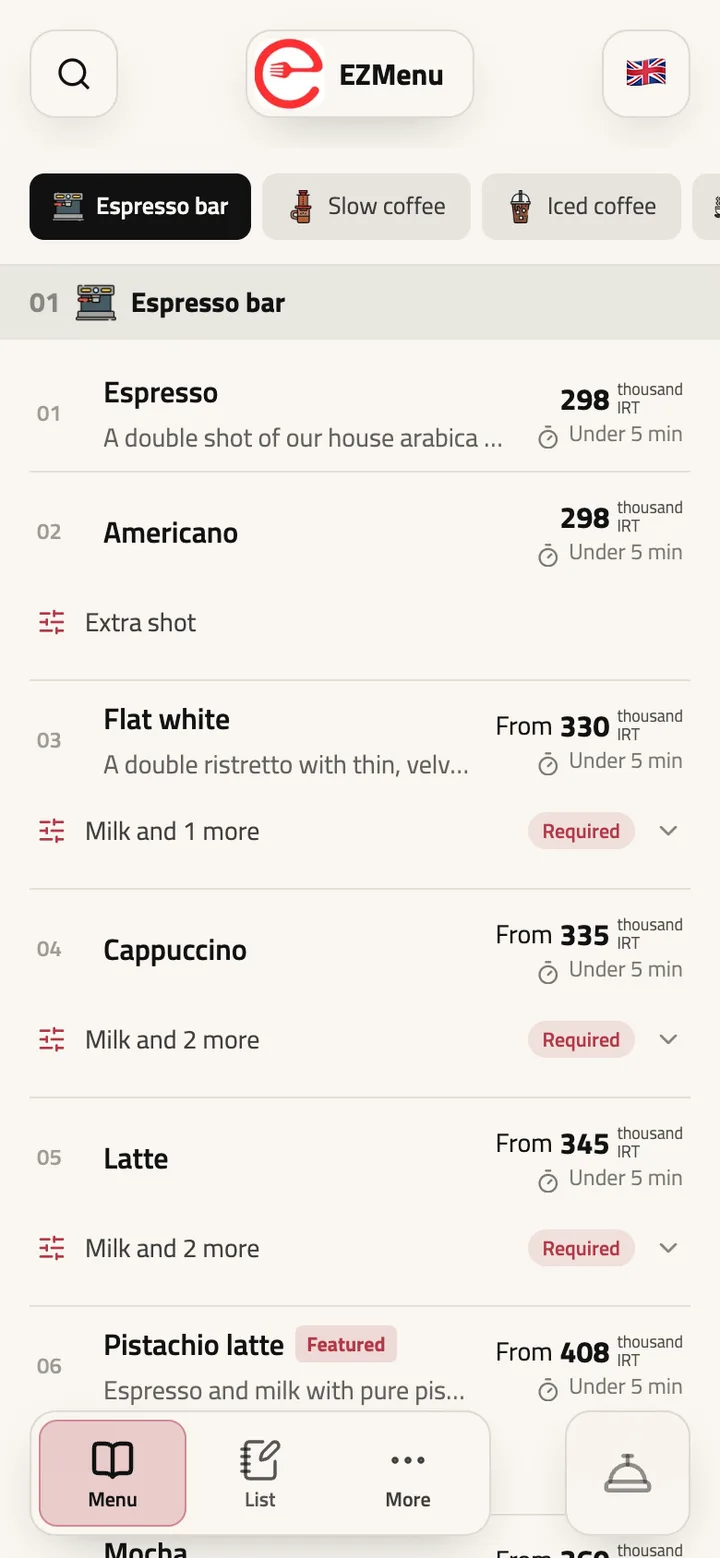
Ledger
A dense, numbered price list that’s quick to scan. For long menus with many drinks.
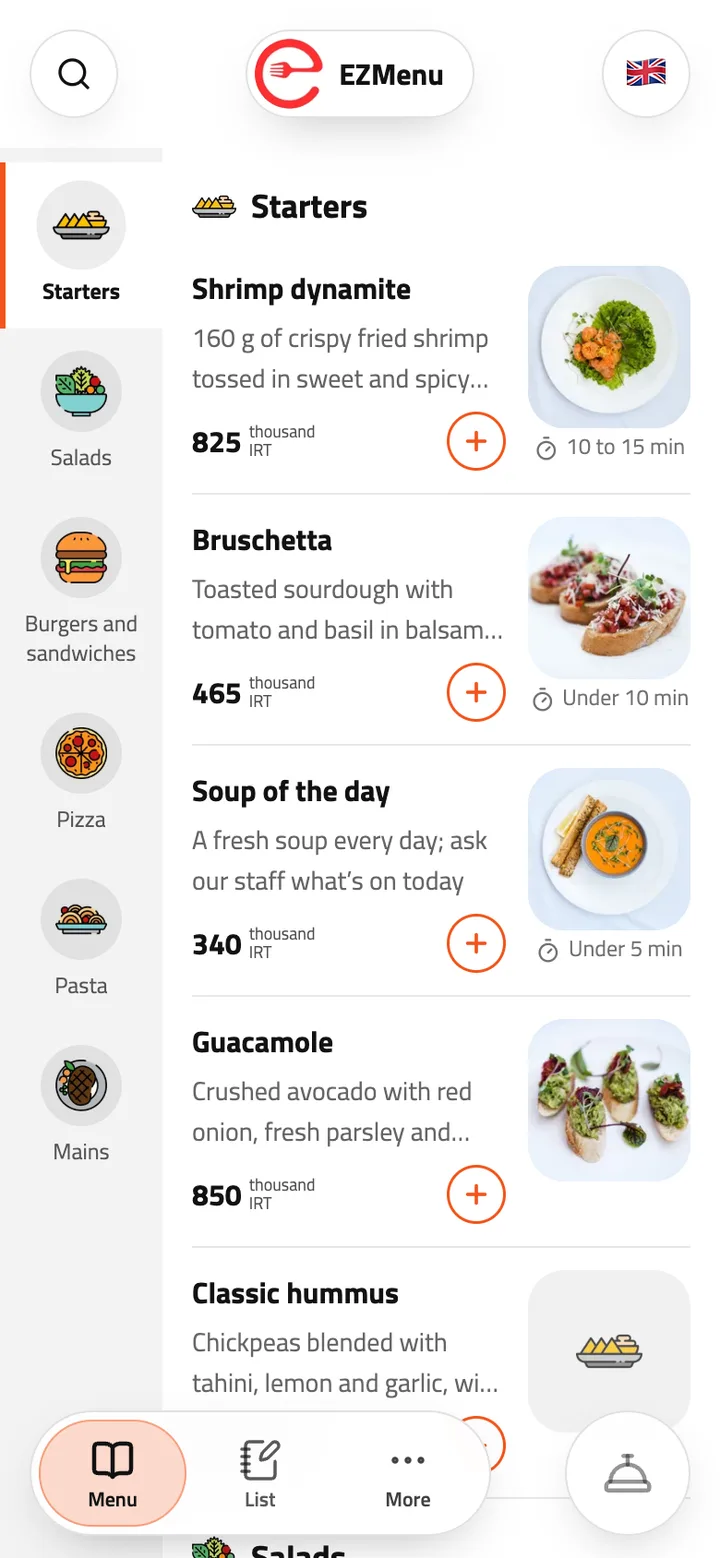
Rail
Categories in a sidebar beside the items, like a delivery app. Add with one tap.
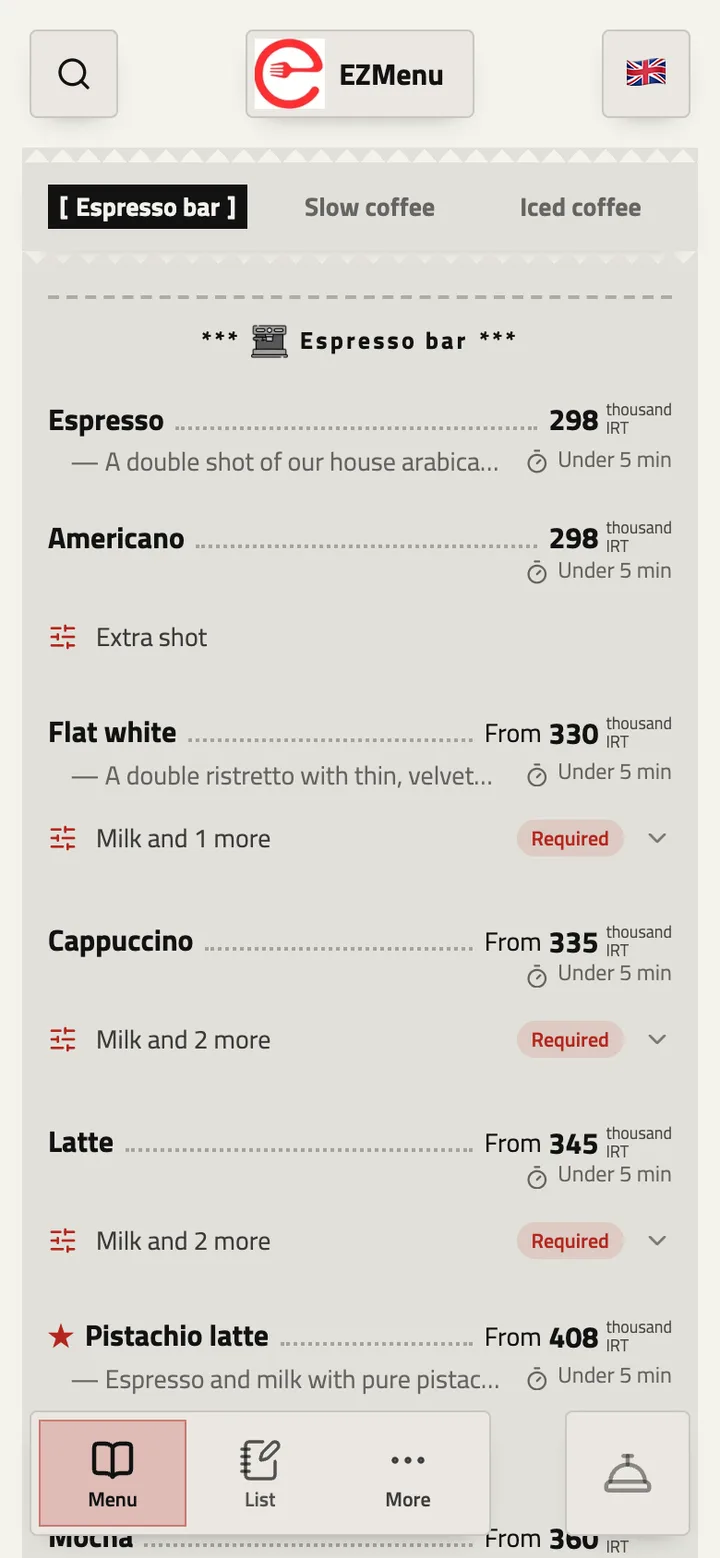
Receipt
Your menu on a till slip, with dotted lines to each price. For cafés and short menus.
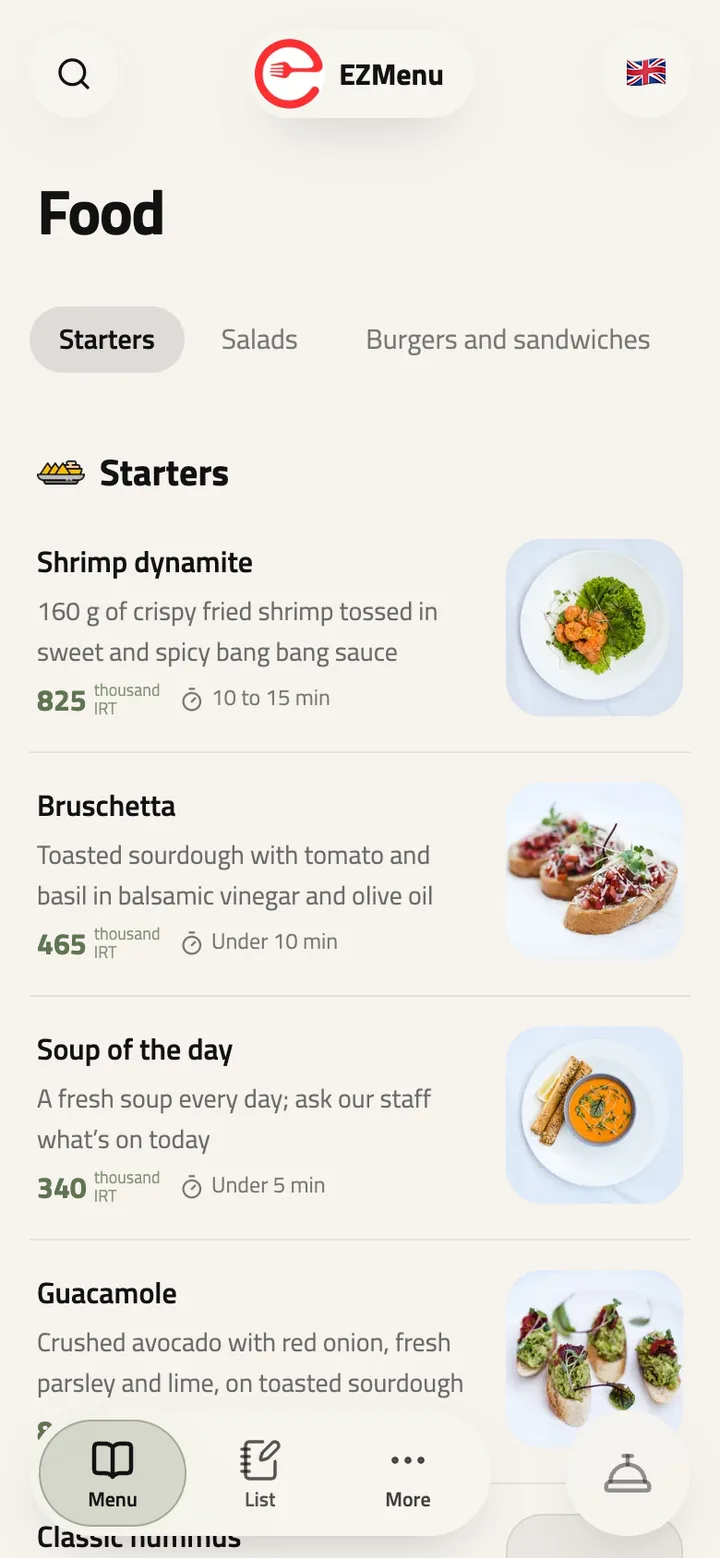
Soft
Quiet and minimal, with a large title and plenty of room. Lets your photos breathe.
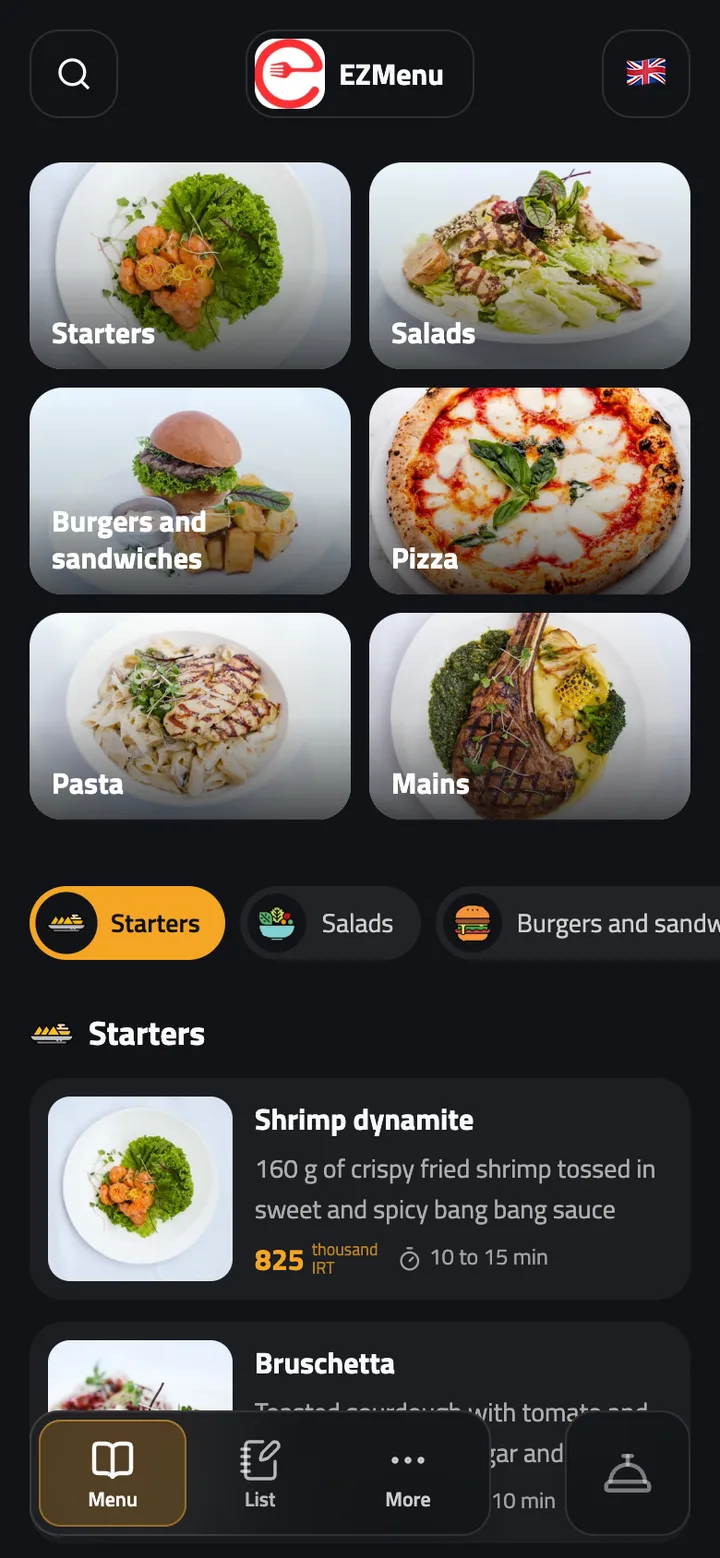
Index
Opens with a photo tile for each category, then cards. For menus with good photos.
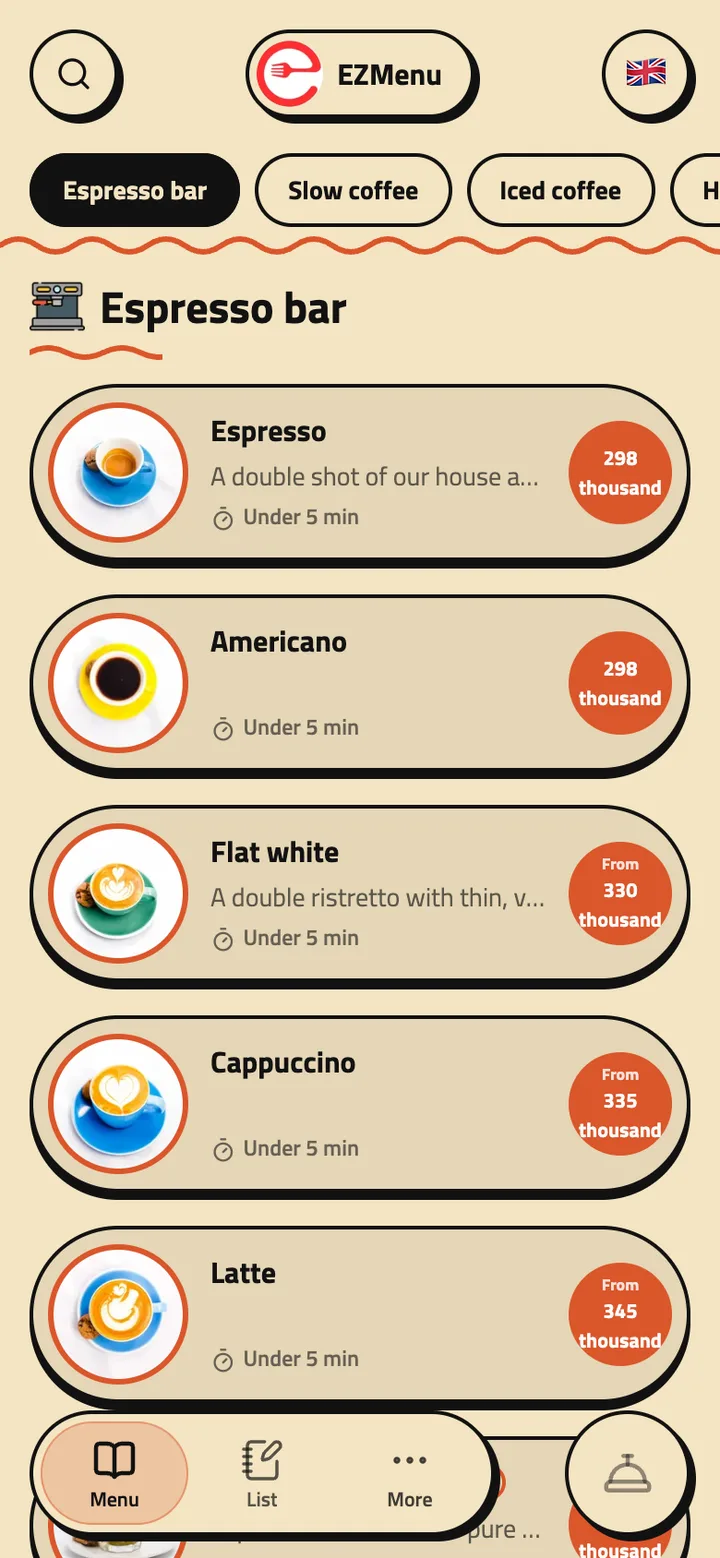
Retro
Seventies warmth: a sunburst, pill-shaped cards and round price badges. For cafés with character.
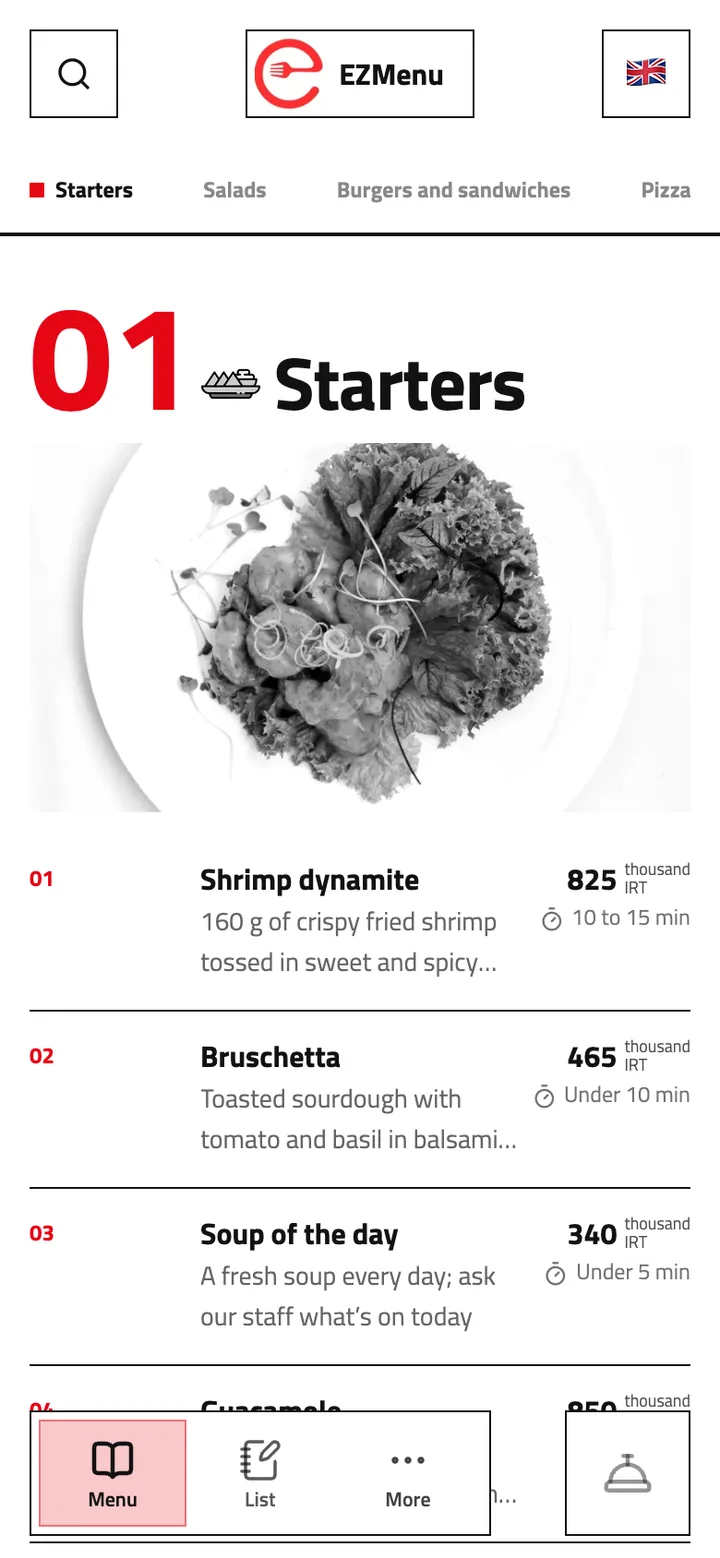
Swiss
A strict grid with big numbers and names, sharp and clear. For confident, modern venues.
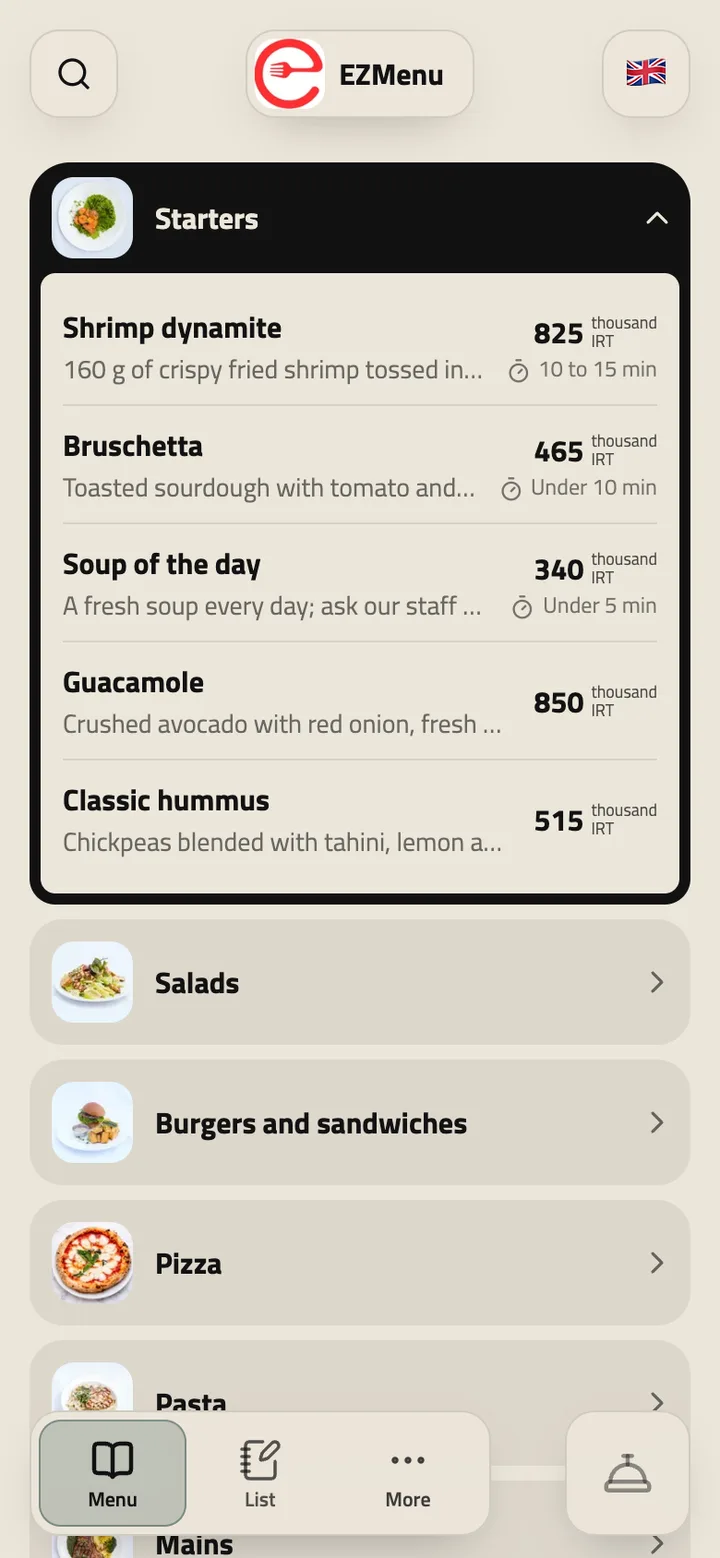
Booklet
Categories fold open one under another, so guests see the whole menu at a glance.
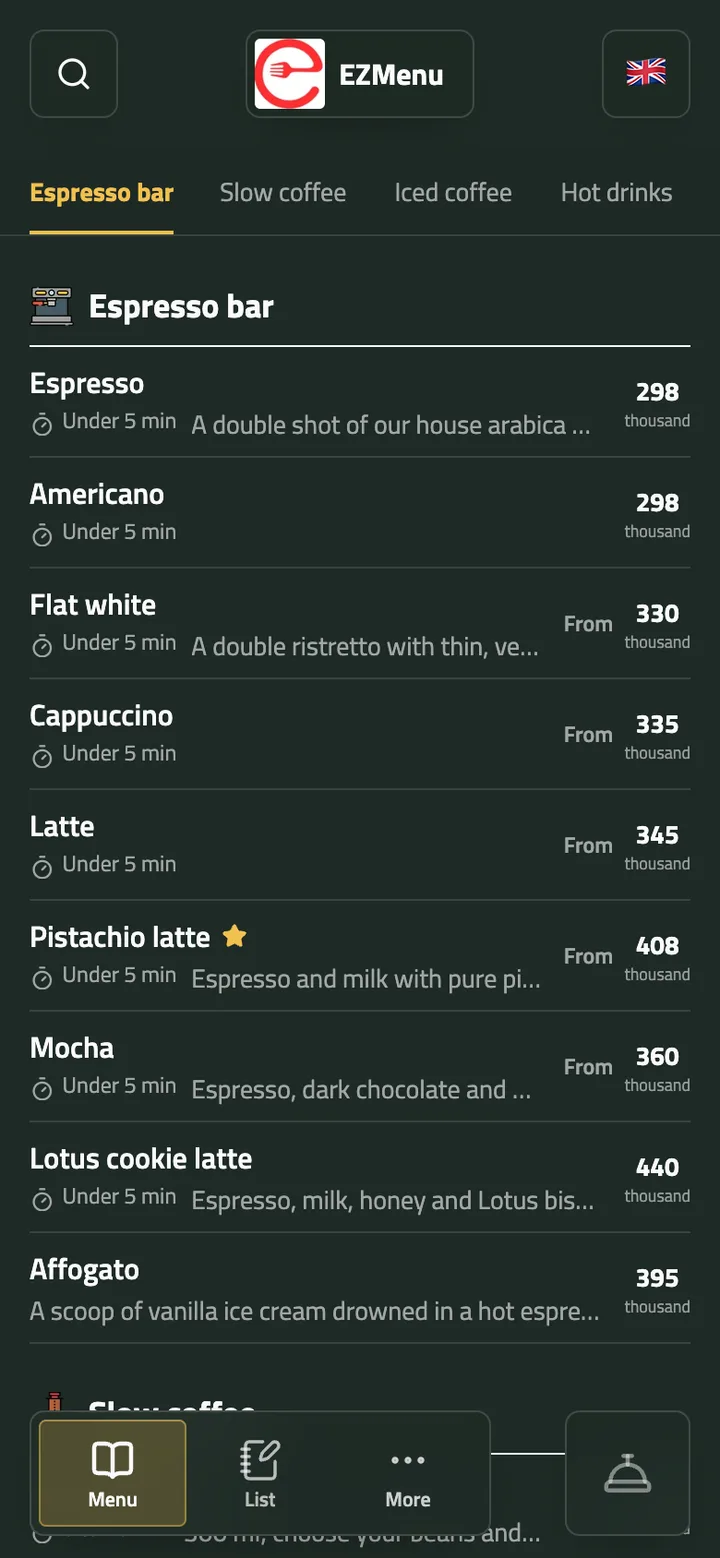
Table
Prices by size side by side in columns, as a café’s board shows them. For drinks that come in sizes.
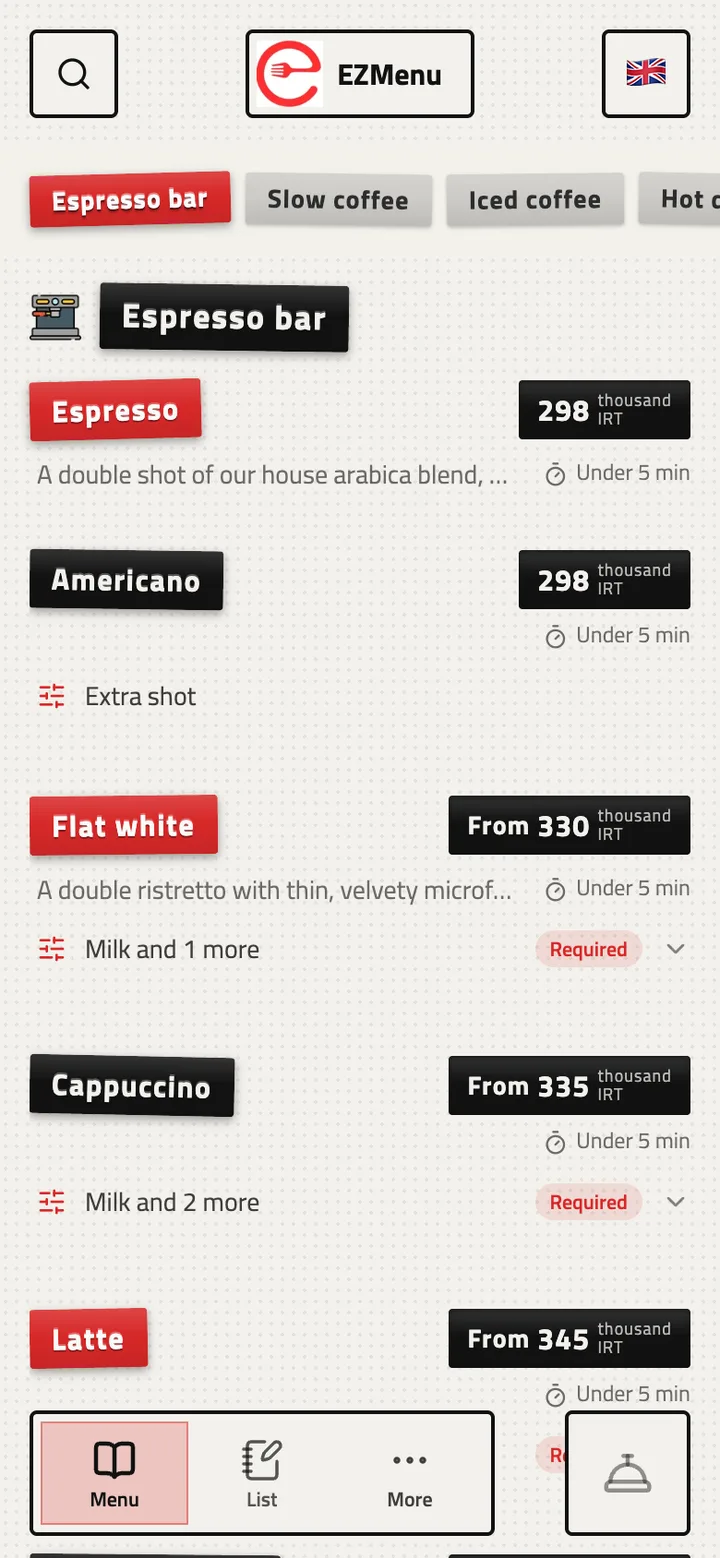
Label
Names punched on label-maker tape. Playful and handmade.
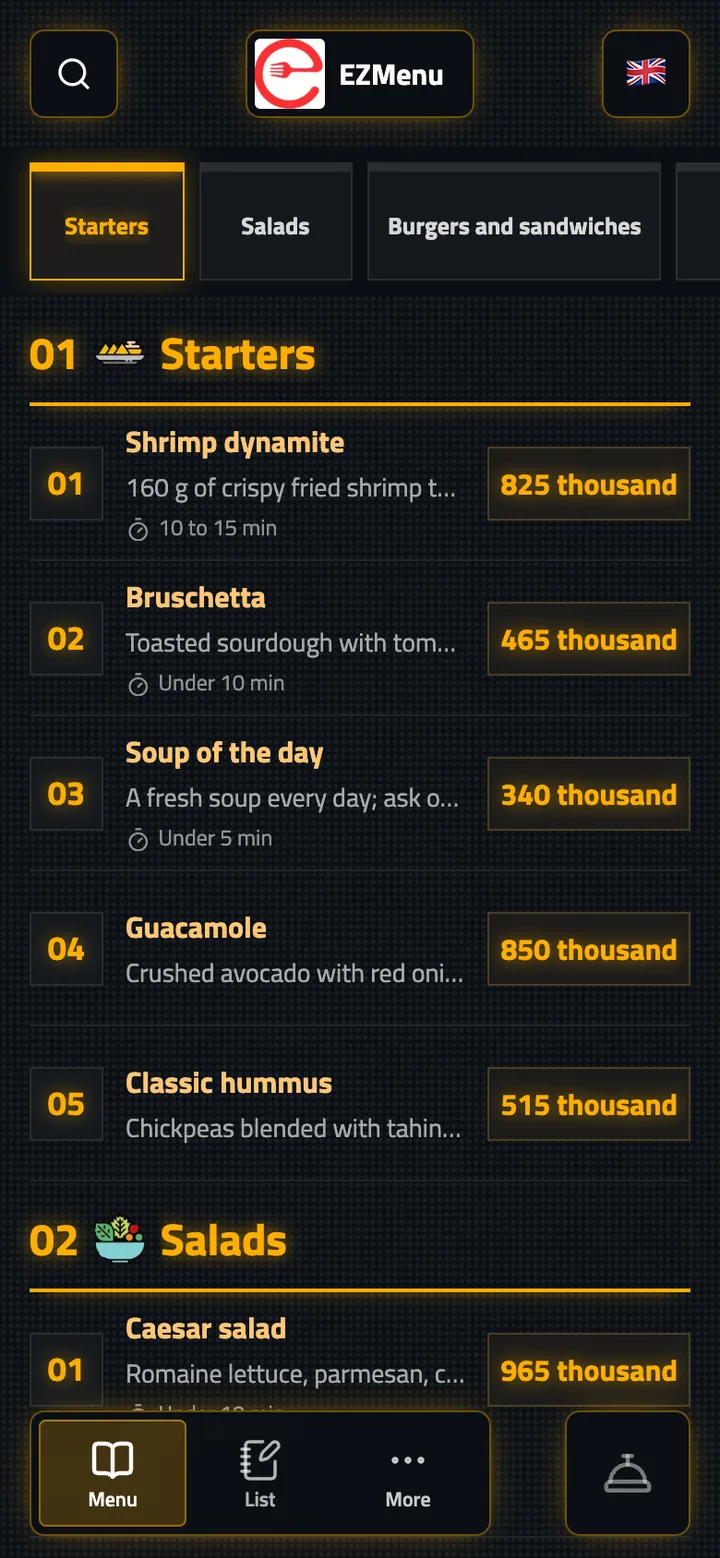
Scoreboard
Lit boxes and glowing digits, like a stadium board. For sports cafés.
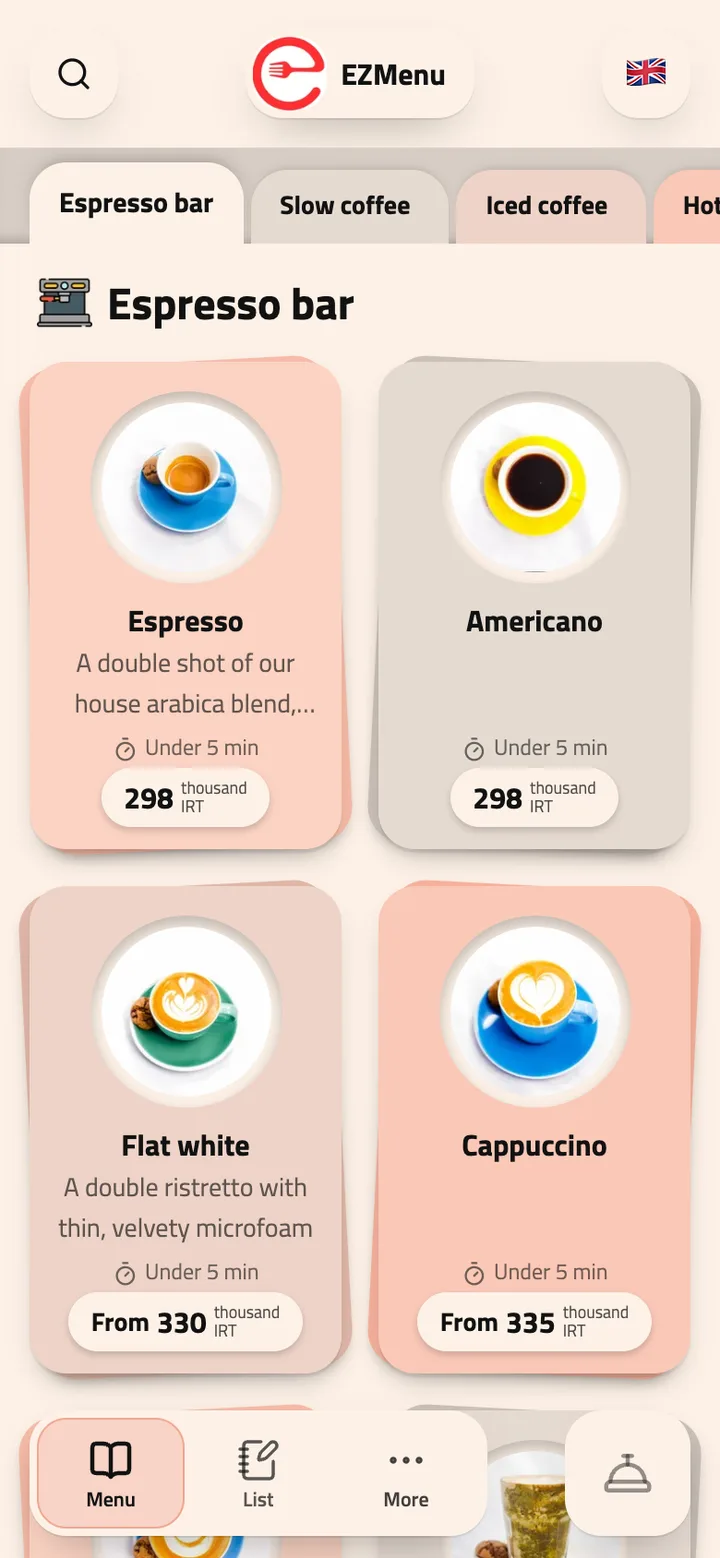
Papercut
Layered paper cut-outs, folder tabs and cards two to a row. Soft and friendly.
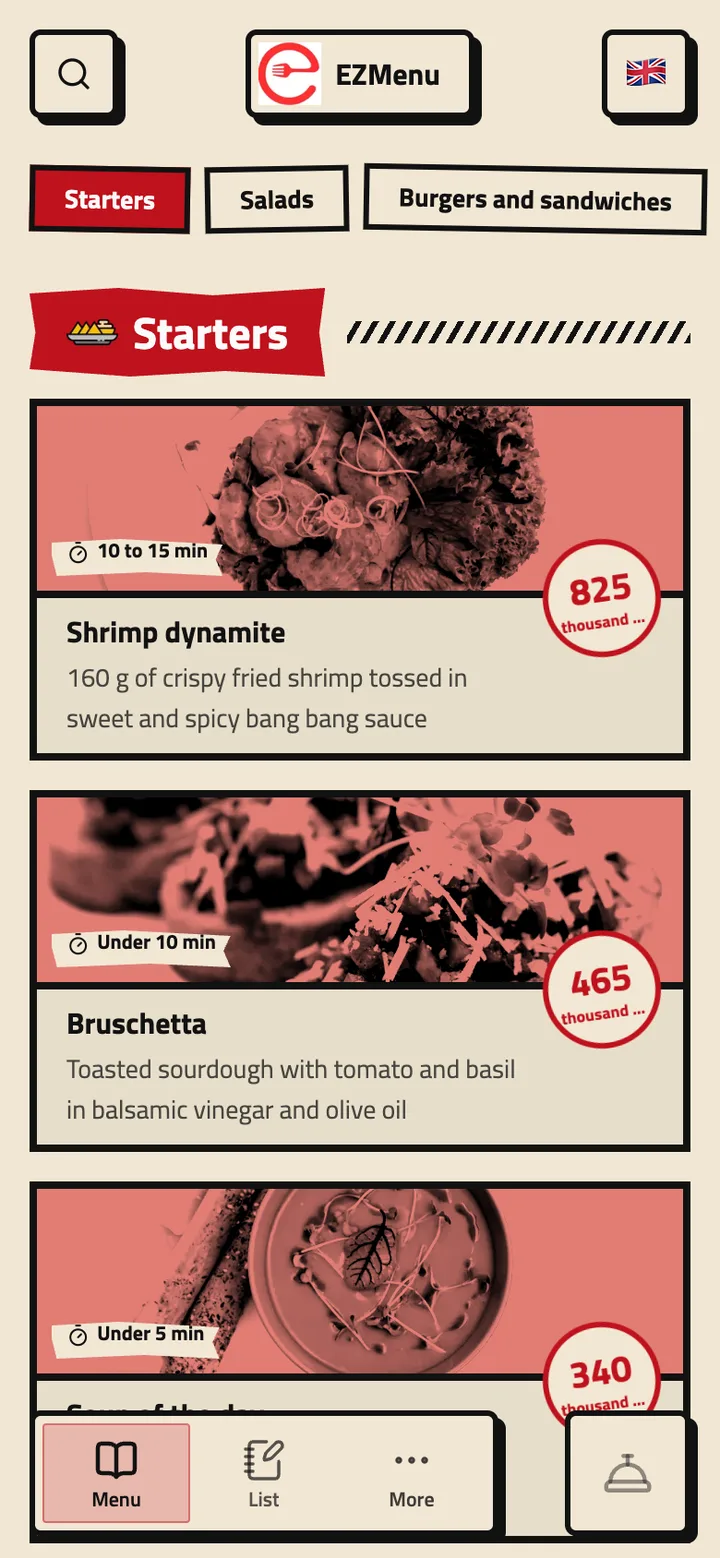
Linocut
A bold block print with heavy borders, rough edges and stamped prices. For burger and grill houses.
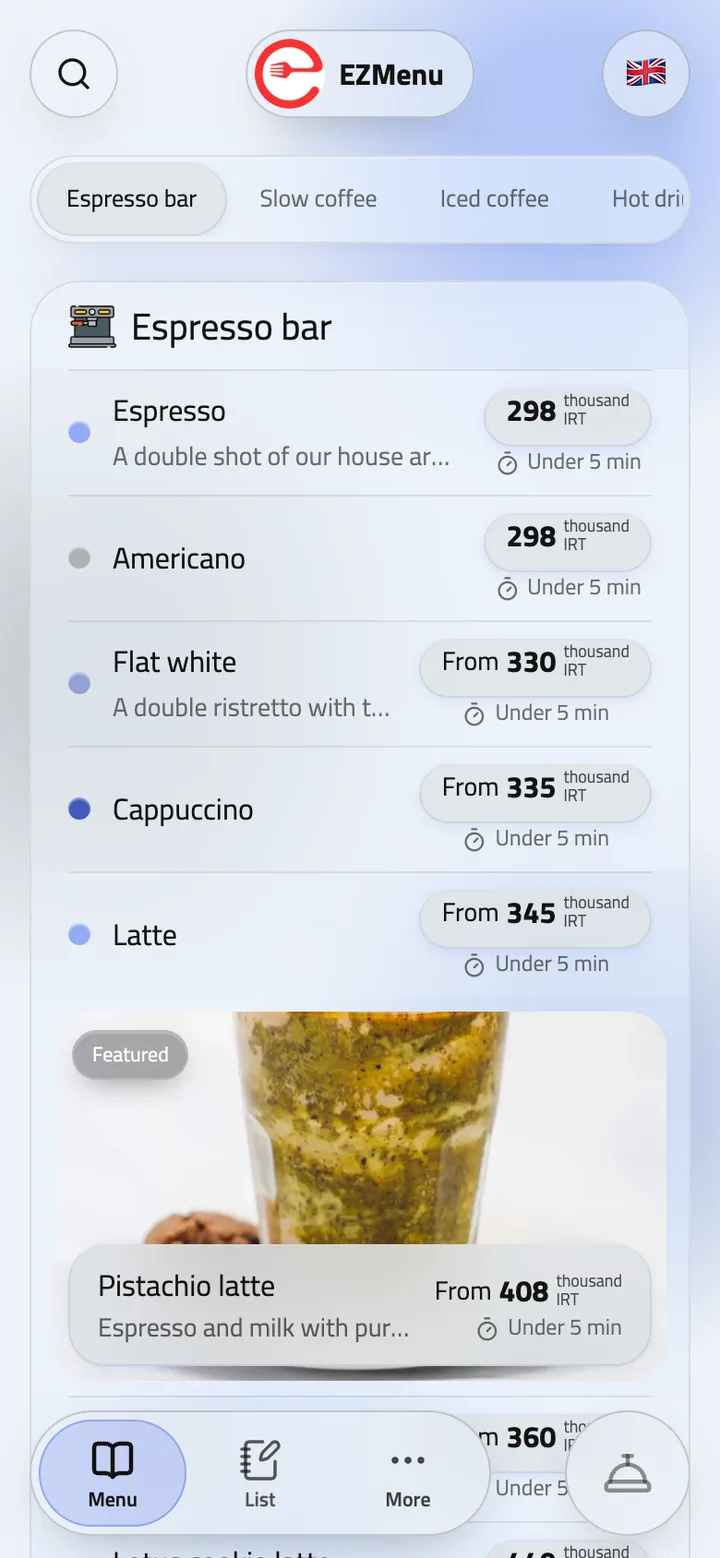
Frost
Frosted glass over soft, drifting color. Light and calm.
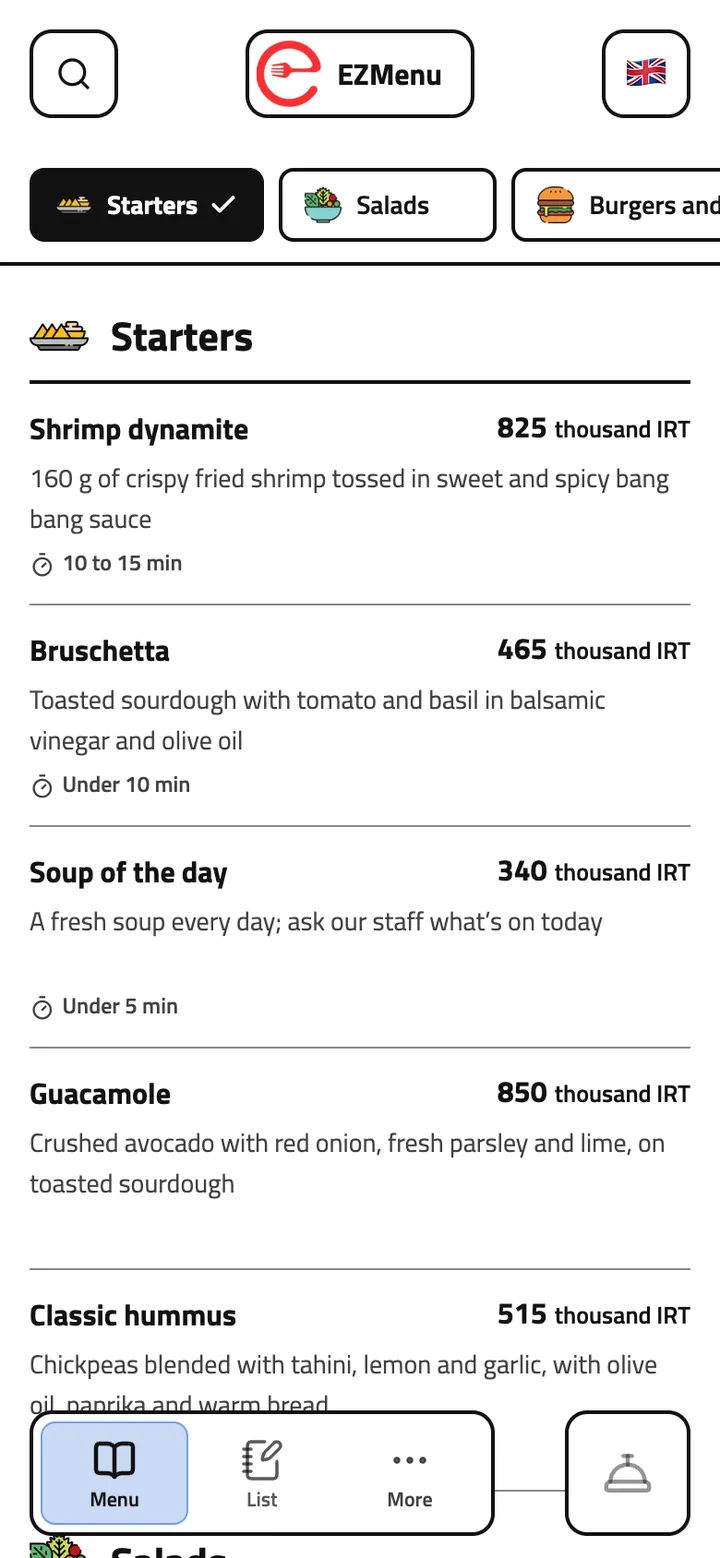
Clear
Strong contrast, plain outlines and clear words, easy for everyone to read.


 EZMenu
Colors and font
Your menu, in your colors.
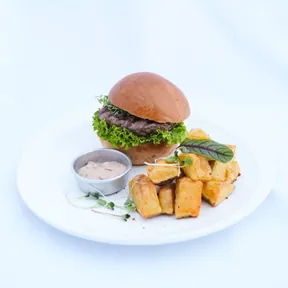
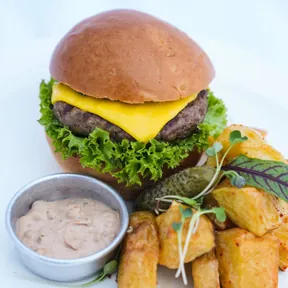
Pick just two colors: a primary color for your menu's background and a secondary color for buttons, the chosen category and highlights. Text colors adjust automatically, so your menu always stays easy to read. Persian and Arabic menus get a font of your choice too, and you see colors and font on a live preview before saving.
Dark
Light
Colorful
Natural
Your colorsTry it
Not sure which colors to pick? Ask the AI assistant for suggestions.
Menu font
Your menu, in a font you love!
For Persian and Arabic menus, pick one of the open-licensed Persian fonts, from Vazirmatn and Estedad to Shabnam, Samim and Noto Naskh, and display faces like Lalezar for menus led by their headings.
See it before you save
In Theme, colors and font, you see the theme, colors, font and price style on your own menu before saving.
On every page of your menu
Your venue's page, its menus and every item's page all show in the same font.

Google search results
Be found on Google, under your own name and logo.
Every venue on EZMenu gets its own pages, built to show up in search. Guests who search for your café or restaurant see your menu, opening hours and address right there, and your menu link shows a rich preview in any messenger.
Your own name and logo
Search results show your venue's name and logo beside the link, not ours.
The right title and description, in 12 languages
Each page is titled with your venue, your city and what guests look for, and its description says what you serve. Each language has its own address.
Exact details for Google
Your opening hours, address, map location, phone, cuisine and menus are on the page in the language search engines read, and every page is listed in the sitemap.
Rich previews in messengers
Send your menu link on Telegram, WhatsApp, Instagram or X and it shows with your colors, logo and name.
See where guests come from
The insights show how many guests reached your menu from Google search results, Instagram, table QR codes or links with UTM tags.
 EZMenuhttps://demo.ezmenu.ir › en
EZMenu, Tehran | Menu, opening hours and address
EZMenu menu in Tehran, with photos and prices: Breakfast plates, Omelettes, Sweet, Starters, Salads. Opening hours, address and phone.
EZMenu
EZMenu, Tehran | Menu, opening hours and address
EZMenu menu in Tehran, with photos and prices: Breakfast plates, Omelettes, Sweet, Starters, Salads. Opening hours, address and phone.
demo.ezmenu.ir/en

Printable menu
A paper menu that’s never out of date.
Download your menu as a PDF whenever you need it and print it, in one language or two on the same page. It’s made from your live menu, so it always has today’s items and prices.
Two languages on one page
Pick any two of the 12 languages, in the order you like. Every item’s name, description and price, and every category and menu, is printed in both, one under the other: your own language with English for tourists, for example.
When the signal is weak
In basements, on terraces or when the internet is down, guests read the printed copy, and its QR code opens the live menu once they’re back online.
Always up to date
Each PDF is made from your menu as it is right now, with new items, prices and discounts.
The look and layout you want
Choose a classic theme in black and white or in your colors, in one column or two, with a page for each category or one after another, with or without descriptions and prices, and for Persian and Arabic menus, in the font you pick. Preview it before you print.


Table QR codes
A QR code for every table.
Set up your venue’s sections and tables, then download print-ready QR codes, one at a time or all at once in a single file named by table. Each code is linked to its table, so waiter calls include the table number. You can style them too, with your logo, brand color, venue link and table name.
Scan the code with your phone camera to explore the live demo.
Menu import
Bring the menu you already have. No starting from scratch!
When you set up your venue, import your current menu and its categories, items, prices and photos fill in by themselves. Change anything afterwards, right on the menu.
From Snappfood, MeNEW or Menusaz
Paste your online menu’s address and every category, item, price and photo comes over, even from a menu on your own domain.
From photos of your paper menu
Take or pick a photo of each page of your printed menu, and AI reads its items and prices.
Review it first
See every category and item that came over, and untick anything you don’t want in your new menu.

More features
Everything a great menu needs.
Manage from your phone
Edit menus, categories and items right on the menu from your phone, and shoot item photos with its camera.

Make it your own
Match your menu's logo, theme, colors and font to your brand.
Your menu, as an app
Guests can add your menu to their phone's home screen as an app and open it with one tap.

Unlimited menus
Create as many menus, categories and items as you need, from breakfast and lunch to drinks.
Category icons and notes
Choose an icon for each category from the built-in library, and add short notes for guests under its name, like when breakfast is served.
Directions and rides to your door
One tap opens directions in Google Maps, Waze or Neshan, or a Snapp! ride to your venue.

Connect your AI tools
Connect EZMenu to your own AI tools using MCP.
Roles and permissions
Give owners, managers and waiters access to just what their job needs.
Item videos
Add short videos next to the photos. They play muted as guests scroll to them.
Questions and answers
Got questions? We've got answers.
Can I import the menu I already have?
Yes. Paste your online menu’s address from Snappfood, MeNEW or Menusaz, or take a photo of your paper menu; categories, items, prices and photos come over, and you review them before your menu is built.
Which languages can the menu be translated into?
English, Persian, Arabic, Turkish, French, Russian, Spanish, Chinese, German, Japanese, Italian and Portuguese. AI does the translating, and you can edit any of it at any time.
Can items have photos and videos?
Yes. Take photos with your phone or pick them from your gallery, and add a short video to any item; it plays silently when a guest scrolls to it.
Can I have more than one menu?
Yes, as many as you need: breakfast, lunch and drinks, say, each with its own categories and items.
When do menu changes appear?
Changes appear on the guest menu as soon as you save them.
Do I reprint the QR codes when the menu changes?
No. Each table's QR code leads to your live menu, so every change shows the moment you save it.
Can I customize the menu to match my brand?
Yes. You set the theme, logo, colors and font to match your brand, and see your own menu with them before saving.
Will my menu show up on Google?
Yes. Your menu pages are titled and described with your venue, your city and what you serve, and each language has its own address, so guests can find you on Google.
What if the internet is down or the signal is weak?
Download your menu as a PDF from the dashboard and print it, in one language or two at once. It’s always made from your current menu, and its QR code opens the live menu once guests are back online.
Have another question? Contact us
More of EZMenu
Explore the other parts too.
Ordering and kitchen
- Guests order from the table, or waiters take the order
- Stations, and kitchen screens on any TV or tablet
- Ticket printing on network printers through the desktop app

Team and dashboard
- Waiter calls with reasons, live status and guest ratings
- Sales, service and menu insights, with suggestions
- QR sign-in, roles, shifts and blocking guests

AI assistant
- Manage your menu, prices and staff in a few words
- Takes orders, settles and prints bills by chat
- Translates your menu and builds it from a photo

Ready to give your guests a better menu?
Try the demo, or contact us and we'll get your digital menu up and running.