AI assistant
An assistant that knows your venue like you do!
The AI assistant runs your menu, orders, staff and tables from a few words, reads your numbers with suggestions, and shows you every change before it’s saved.
AI assistant
Run your menu just by asking!
Describe the change you want, like "mark unavailable items as sold out", "increase coffee prices by 10%" or "find a new icon for the coffee category". The AI assistant prepares the changes, you review them, and it applies them once you confirm. It handles the day's work and team tasks as well, like taking a table's order, adding staff, setting up tables and waiter call reasons, or starting a shift. It knows your menu stats too: ask "How did the menu do this month?" and it answers with the numbers and a few suggestions. It's always one tap away: the ✨ button at the bottom of your menu.
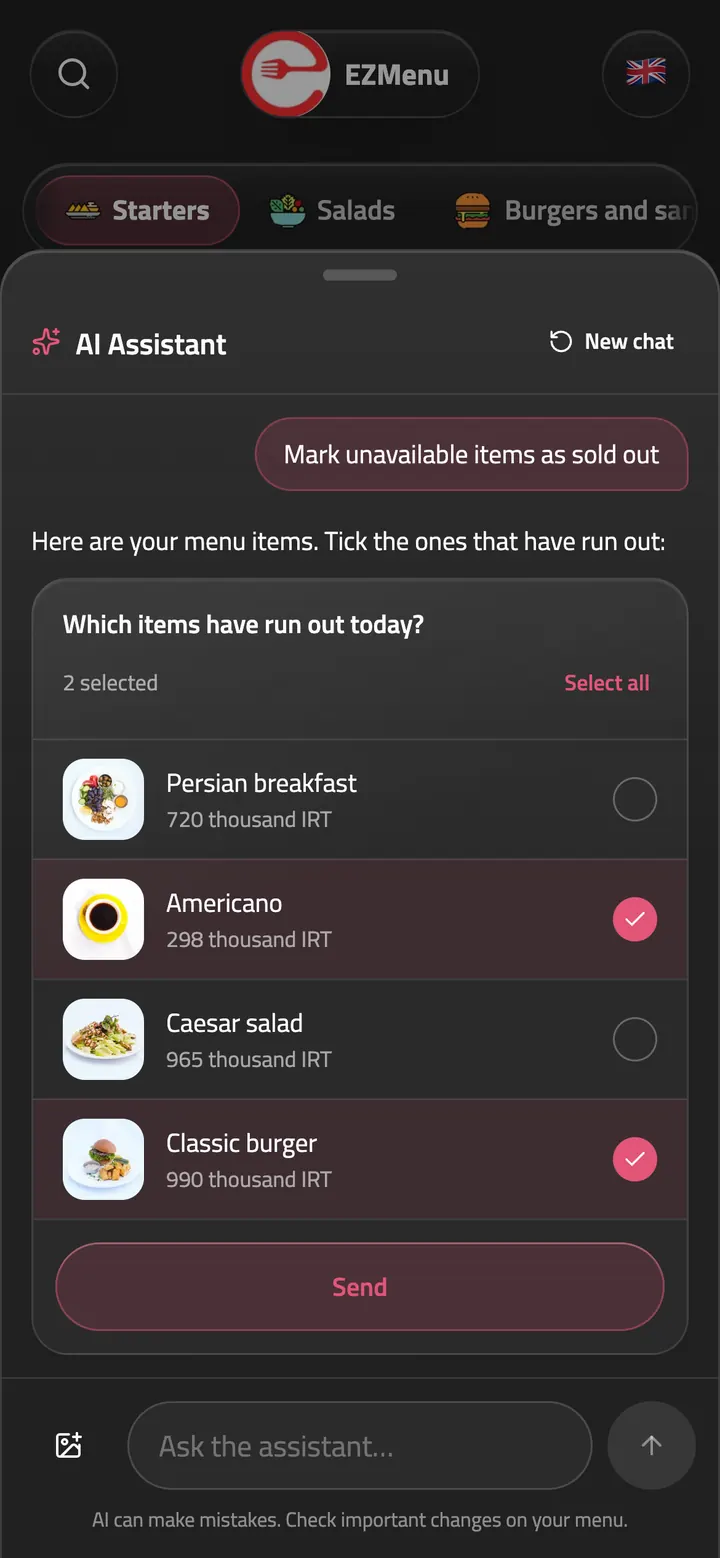
Mark unavailable items as sold out
Select items from their cards
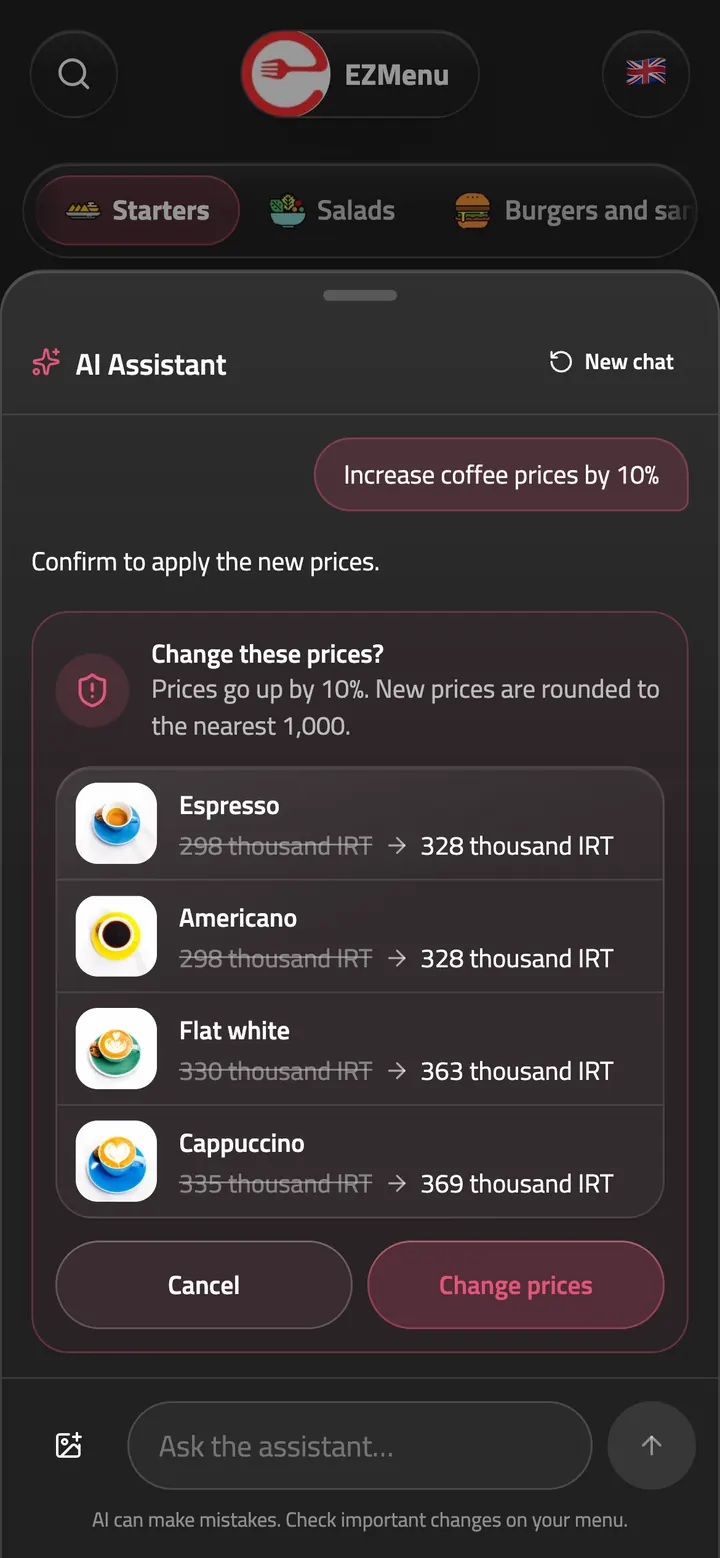
Increase coffee prices by 10%
Review changes before confirming
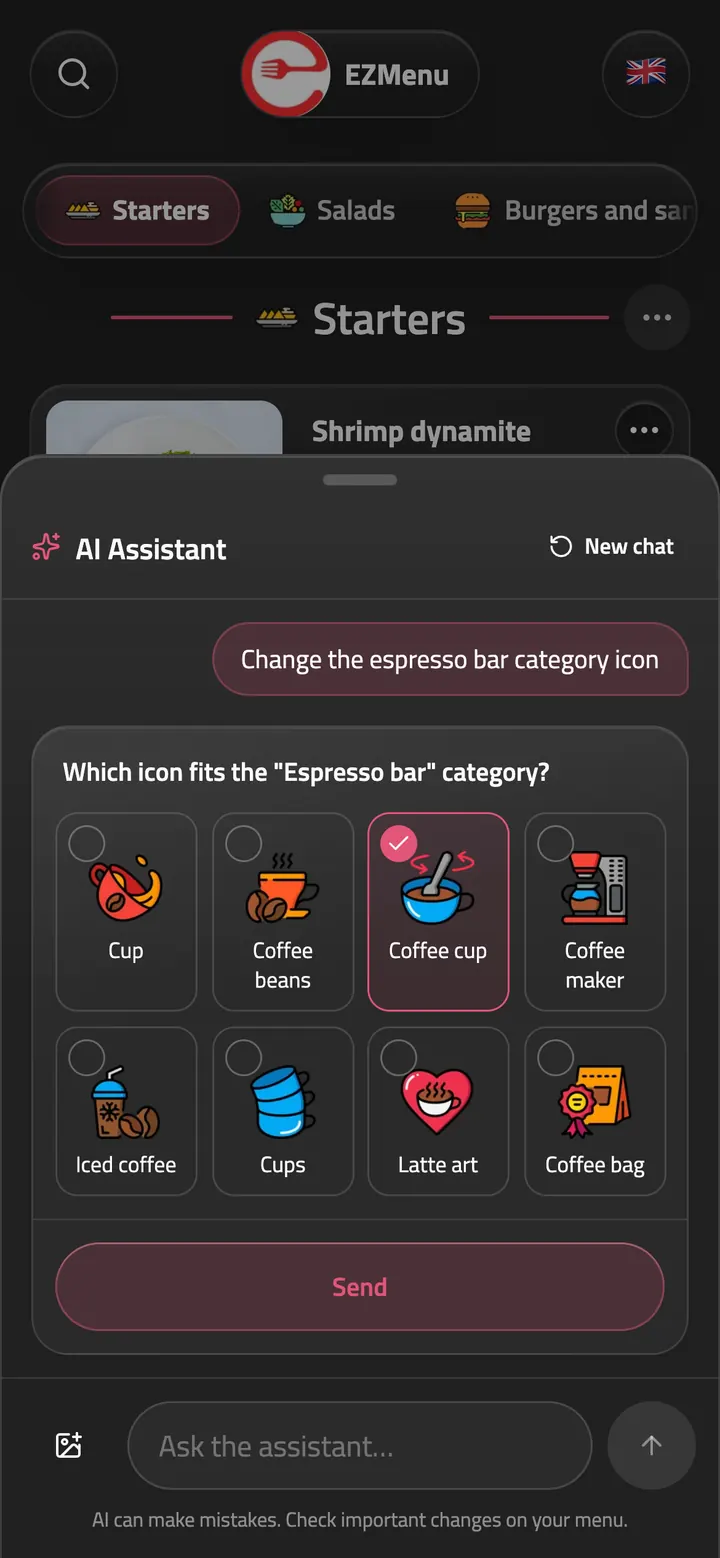
Change the espresso bar category icon
Choose from a library of icons
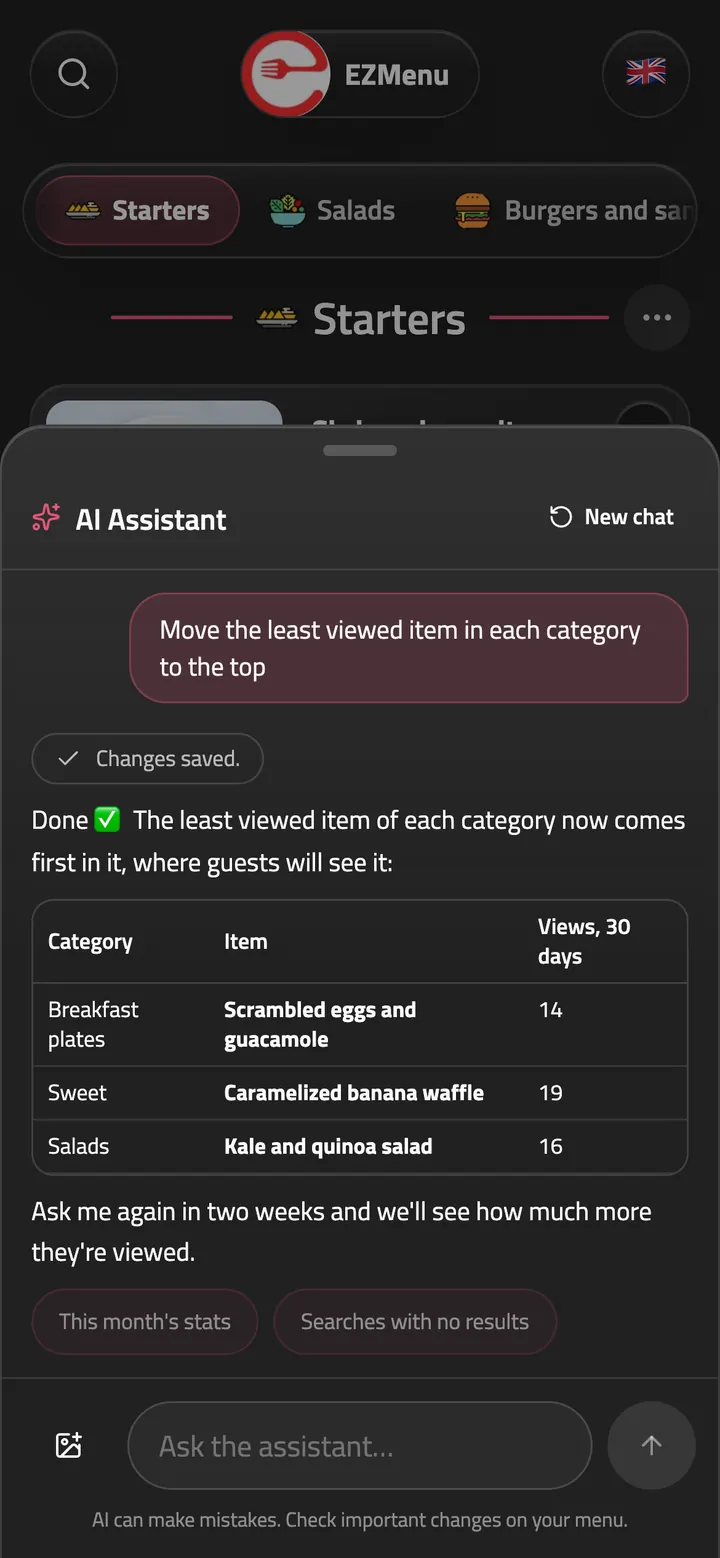
Move the least viewed item in each category to the top
Acting on your menu stats
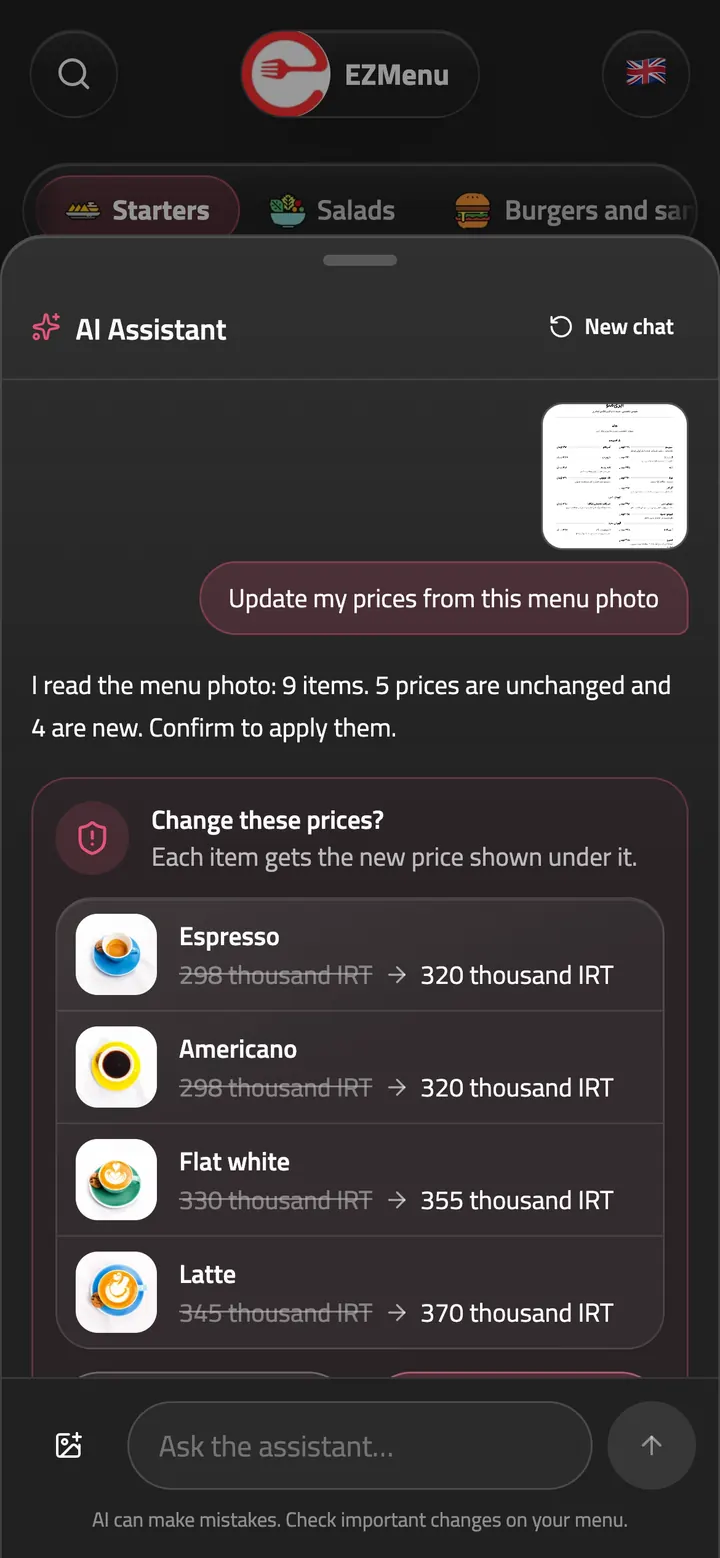
Update my prices from this menu photo
Read from your menu photo, confirmed by you
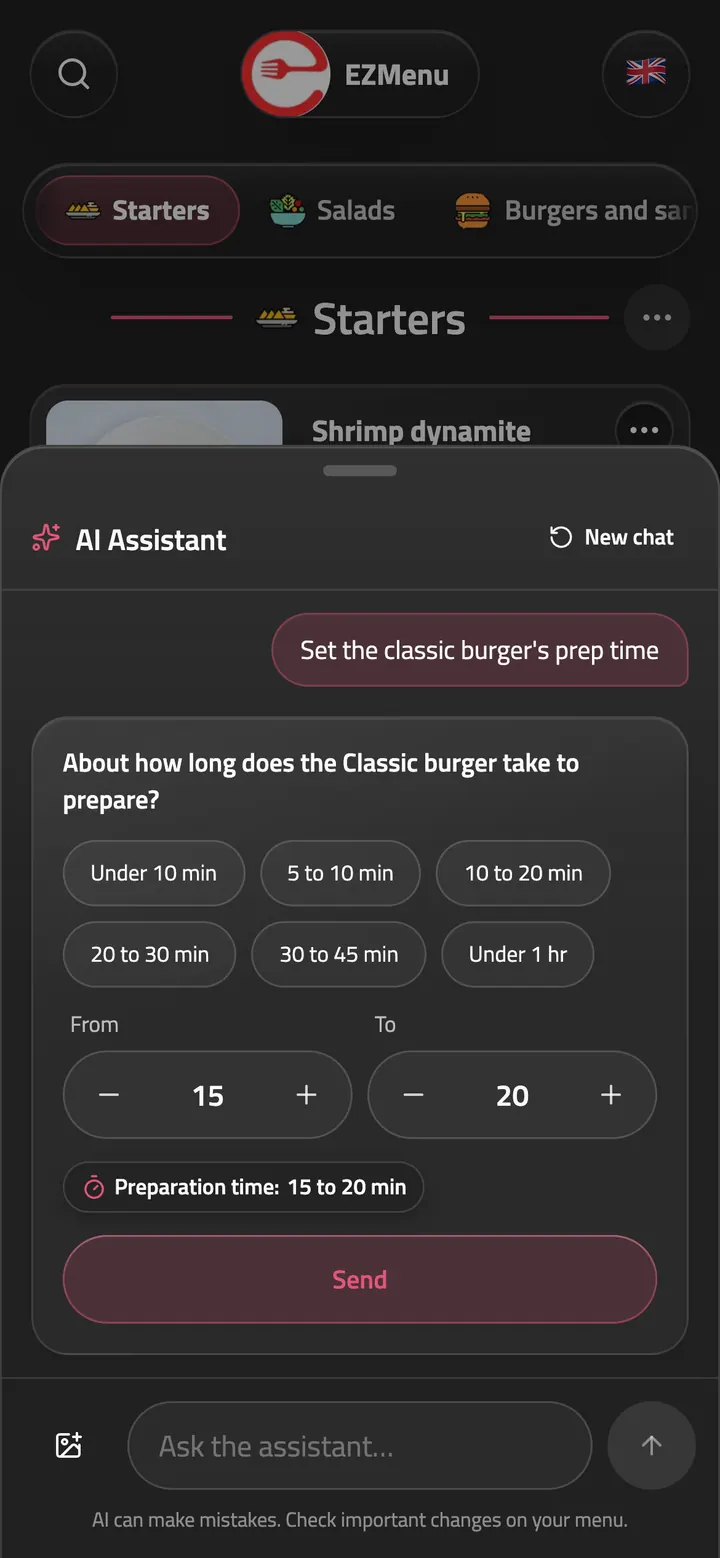
Set the classic burger's prep time
Prep times in a few taps
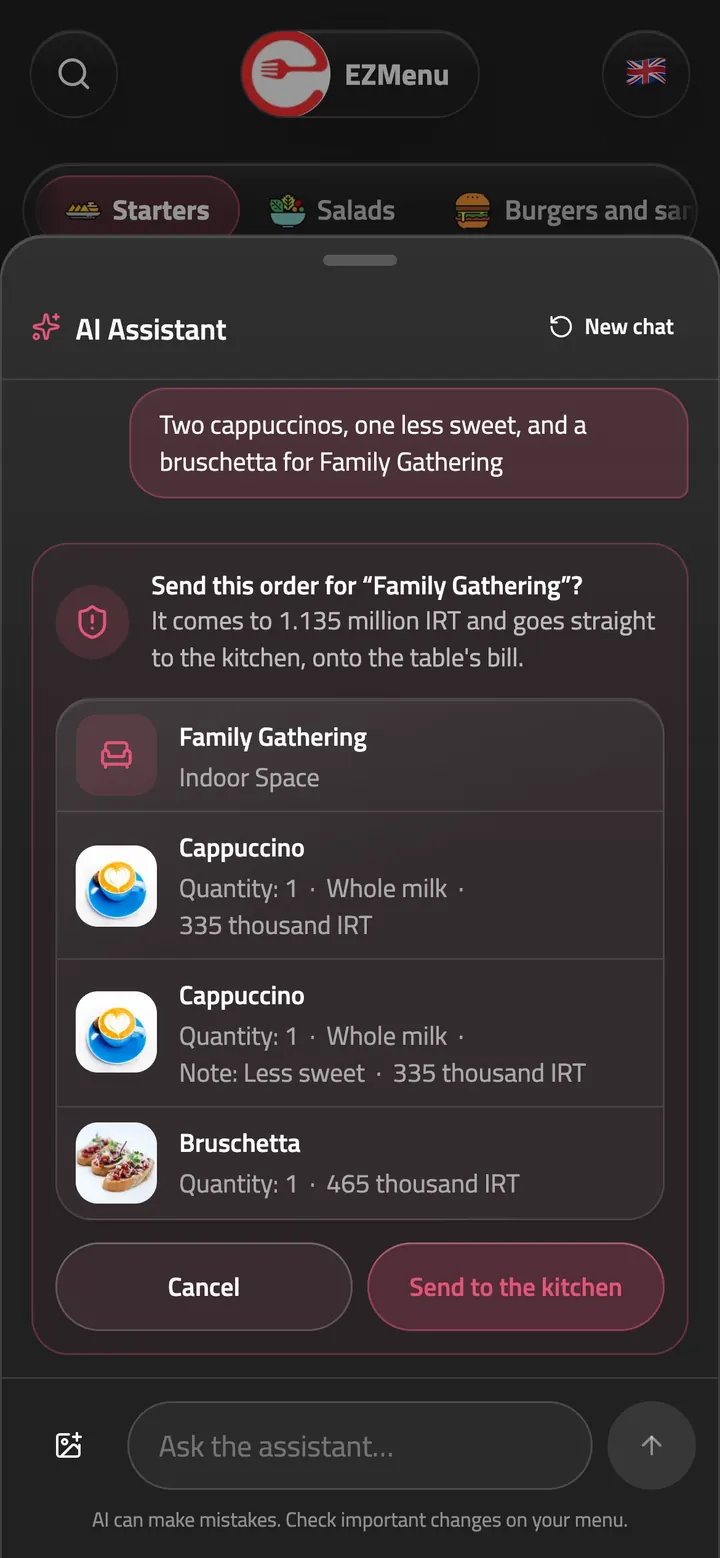
Two cappuccinos, one less sweet, and a bruschetta for Family Gathering
A table's order by message, straight to the kitchen


Nothing saved without your OK
You see every change in detail before anything is saved.
Access that matches each role
Everyone can only change what their role allows.
Photos in the chat
Send a photo of an item to add it to your menu, or a photo of your printed menu to update its prices.
Chat in your language
Write in any language and get replies in the same one.
Just ask
From the menu to the bill, in one sentence!
The AI assistant works with the same tools as your dashboard, and everyone can ask it only for what their role allows. A few things one sentence gets done:
Menu and items
- Raise coffee prices by 10%
- Mark the soup of the day sold out
- Put 20% off the breakfasts
Photos
- Use this photo for the cheeseburger
- Update prices from this menu photo
Orders and bills
- Two lattes and a cheesecake for table 4
- Settle the bill for table 7
Stations and printing
- Have the bar make the cakes
- Print the bill for table 3
Team and shifts
- Add Sara as a waiter
- Who's on shift now?
- Start my shift
Tables and calls
- Make six tables for the terrace
- Get me the terrace tables’ QR codes
Insights and suggestions
- How did the menu do this month?
- What should I improve on the menu?
Your venue
- We're open 10 to midnight on Fridays
- Add our Instagram
Assistant for guests
Guests ask, the menu answers.
Guests tap ✨ at the bottom of your menu to ask the AI assistant what to order, what's light or what goes with coffee. It shows the dishes with their photos and prices, adds them to the guest's list, calls a waiter and, when ordering is on, sends the order too. And you pick its voice.


Answers from your menu
It never makes up items, prices or claims; if the menu doesn't say, it suggests asking the staff.
Dishes with photos and prices
Its suggestions come as cards, so the guest adds one to their list with a tap or opens it.
Calls a waiter by chat
The bill, water or help? It shows the reason and the table, and nothing is sent until the guest confirms.
Orders by chat
It shows the list, the total and the table to confirm, then sends the order and follows it right there.
A voice you pick
Pick the voice that fits your venue, from elegant to playful. Adaptive matches each guest's own tone.
Suggestions for the hour
It suggests lunch at noon, dessert in the afternoon and dinner at night, only from what your menu really has.
Popular, from what guests do
It knows what's popular from what guests open, note down and order most.
What you tell it
Write the Wi-Fi password, parking or house rules once in the dashboard, and it tells your guests.
In the guest's language
It replies in whatever language the guest asks in.
AI in EZMenu
More places it lightens the work.
Your menu in 12 languages
Write your menu once in your own language; item names, descriptions and options translate by themselves.
Read moreA menu from a photo
Take a photo of your paper menu, and its items and prices are read and your menu is built.
Read moreSuggestions to improve your menu
It writes missing descriptions and matches guests' searches that found nothing to your items.
Read moreConnect your AI tools
Connect EZMenu to your own AI tools using MCP.
Questions and answers
Got questions? We've got answers.
What can the AI assistant do?
Almost anything you do in the dashboard: edit your menu and prices, take orders and settle bills, print a bill, add staff and tables, start a shift, and answer questions about your numbers with suggestions to improve.
Does the AI assistant help guests too?
Yes. Guests tap ✨ at the bottom of your menu to ask about dishes, get suggestions, call a waiter or order. It answers only from your menu and the notes you write for it, and sends no call or order until the guest confirms.
What language does the AI assistant speak?
Yours: it replies in the language you use the dashboard in, and writes prices the way your menu shows them.
Can the AI assistant make changes without my approval?
No. The assistant works within your role's permissions and asks you to review and confirm each change before saving it.
Does the AI assistant cost extra?
No. Like every other feature, it's included in your plan.
Can I connect EZMenu to ChatGPT or Claude?
Yes. With a personal access token, EZMenu connects to your AI tools through MCP, and they work within your role too.
Have another question? Contact us
More of EZMenu
Explore the other parts too.
Digital menu
- Photos, videos and options, in 12 languages
- The theme you like in your colors and font, a printable menu and table QR codes
- Import your menu from a photo, Snappfood, MeNEW or Menusaz

Ordering and kitchen
- Guests order from the table, or waiters take the order
- Stations, and kitchen screens on any TV or tablet
- Ticket printing on network printers through the desktop app

Team and dashboard
- Waiter calls with reasons, live status and guest ratings
- Sales, service and menu insights, with suggestions
- QR sign-in, roles, shifts and blocking guests

Ready to give your guests a better menu?
Try the demo, or contact us and we'll get your digital menu up and running.